Best Blog Lead Magnets Proven to Convert Subscribers

More than 90% of blog visitors leave without subscribing, even when they find the content useful.
That means the biggest growth problem may not be your traffic volume; it may be the gap between giving readers information and giving them a compelling reason to stay connected.
The right blog lead magnet closes that gap by offering immediate, relevant value in exchange for an email address.
This guide compares five lead magnet categories that bloggers can use: AI-powered content summaries, checklists, templates, interactive tools, and complete lead capture funnels.
We evaluate each option by conversion potential, setup time, cost, niche versatility, and long-term lead quality.
Whether you are launching your first blog or improving an established content business, you will find practical recommendations, pricing details, trade-offs, and niche-specific guidance.
This roundup reflects current tool pricing, reader behavior, and the growing shift from generic PDF downloads toward AI-powered and interactive lead magnets.
What Is the Best Blog Lead Magnet?
Here are our top picks for the best blog lead magnet:
| Goal | Recommended option | Why it stands out |
|---|---|---|
| Fastest automated list growth | QuickSum AI | Turns existing posts into article-specific summaries |
| Best for scaling lead operations | LeadCapture | Adds verification, compliance, scoring, and routing |
| Best zero-budget option | Checklists and cheat sheets | Easy to create and highly relevant |
| Highest perceived value | Templates | Saves readers time immediately |
| Best personalization | Interactive tools | Produces customized results and segmentation data |
The best choice depends on whether you need more subscribers, better-qualified leads, faster implementation, or a stronger connection between content and revenue.
#1. QuickSum AI
Best for Automated Content-to-Lead Conversion.
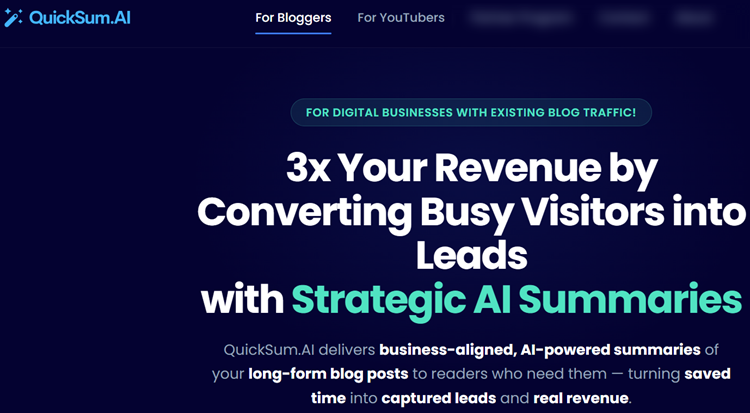
QuickSum AI turns existing long-form blog posts and YouTube videos into automated opt-in experiences.
A lightweight widget offers readers an AI-generated summary of the article they are currently reading, then delivers that summary to their inbox after they submit their email address.
This approach is different from a generic popup because the offer is directly connected to the visitor’s immediate need.
Someone may value a detailed article but lack time to finish it, making an article-specific summary a timely and practical incentive.
Key Features:
- Content-specific AI summaries generated for individual posts.
- Behavior-based triggers, including exit intent, time on page, and scroll depth.
- Smart caching designed to reduce repeat AI generation costs.
- UTM parameters and affiliate tags preserved in delivered summaries.
- Integrations with email and CRM platforms such as Mailchimp, ActiveCampaign, HubSpot, ConvertKit, Kajabi, and Teachable.
- Up to 10 summary variants per post for testing.
- AI-generated video guides for YouTube content.
- Article schema support and per-post conversion analytics.
The tool can be installed on WordPress, Wix, Squarespace, Webflow, Ghost, and other platforms through a lightweight widget or Google Tag Manager.
That makes it particularly useful for publishers who already have a substantial content library but do not want to create a new PDF for every article.
User Experience:
The main user experience advantage is speed.
According to the supplied product information, most users can connect their content, review generated summaries, and launch a widget in under an hour without coding.
The dashboard also gives creators control over approval, branding, triggers, analytics, and email delivery rather than sending automatically generated content without review.
A supplied case study from a digital marketing blog with more than 120 posts reported growth from 247 to 3,487 new subscribers per month after implementation.
The same case study reported monthly revenue increasing from $21,460 to $36,280, or approximately 70%, without additional traffic.
These results are not a guarantee, but they illustrate why converting existing traffic can be more efficient than simply chasing more visitors.
Pricing:
QuickSum AI’s early-bird monthly plan is listed at $99 per month, discounted from $124.
The lifetime plan is listed at $797 one time, discounted from $997, and both plans include a 30-day free trial at launch.
The BYOK model requires a Claude or GPT API key, an email delivery service such as SendGrid or Resend, and an existing CRM or email platform.
Those additional services may add roughly $5–$20 per month for AI usage and approximately $19.95 per month for email delivery, depending on volume.
Pros:
- Converts existing posts without requiring a new asset for every page.
- Offers immediate value that is closely matched to reader intent.
- Works across blogs and YouTube channels.
- Includes analytics, behavioral triggers, CRM integrations, and testing.
- Lifetime pricing may provide strong value for established sites.
Cons:
- Performs best when a blog already receives meaningful traffic.
Best For:
QuickSum AI is best for established bloggers, affiliate marketers, course creators, SaaS publishers, and YouTubers who want to convert existing long-form content into automated opt-ins.
It is especially suitable for sites with at least 1,000 monthly visitors and a library of educational or in-depth content.
Expert Opinion:
QuickSum AI is one of the most interesting modern alternatives to static ebooks and generic popups.
Its strongest advantage is contextual relevance: the reader requests help with the exact content already in front of them.
For creators interested in AI-powered lead generation software, it offers a practical way to improve list growth without changing the publishing schedule.
Get started with QuickSum AI.
#2. LeadCapture
Best for Scalable Lead Generation Infrastructure.
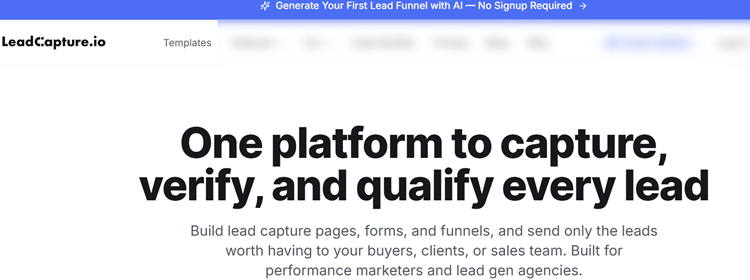
LeadCapture is an infrastructure-level platform for building landing pages, forms, quizzes, surveys, and multi-step funnels.
It goes beyond collecting email addresses by helping teams verify, enrich, score, track, and route leads to clients, buyers, sales teams, or CRMs.
That makes it fundamentally different from a single lead magnet format.
A checklist can attract a subscriber, but LeadCapture manages the systems required when a business needs consistent, compliant, high-volume lead operations.
Key Features:
- AI Funnel Builder that creates pages and quizzes quickly.
- Real-time email and phone verification.
- Contact scoring from 0 to 100.
- Data enrichment and click fraud detection.
- TCPA and consent support through LeadProof, TrustedForm, and Jornaya integrations.
- Native connections to Zapier, HighLevel, LeadProsper, LeadByte, Phonexa, Meta CAPI, Google Ads, GA4, and more.
- Unlimited A/B testing and AI Copilot access.
- Session recordings and compliance reporting on higher plans.
User Experience:
The AI-assisted builder is designed to shorten the path from idea to launch.
Users can enter a website URL, generate a funnel concept, review the strategy, and customize the result instead of designing every page from scratch.
The platform is likely to feel powerful rather than minimal, which is appropriate for agencies and performance marketers but potentially overwhelming for a solo blogger.
Its greatest value appears after a business has established traffic, multiple campaigns, or a process for routing leads to sales teams or buyers.
Pricing:
Annual pricing starts at $159 per month for Starter, which includes up to 1,000 leads monthly.
Core costs $319 per month annually and supports up to 10,000 leads, while Scale costs $559 per month annually and supports up to 25,000 leads.
Monthly rates are $199, $399, and $699 respectively, with enterprise pricing available for larger operations.
LeadCapture offers a seven-day free trial without a credit card and a 60-day money-back guarantee.
There are no overage charges within the stated plan limits, although additional credits may be needed for verification and enrichment.
Pros:
- Combines capture, qualification, compliance, and routing.
- Suitable for high-volume campaigns and multiple clients.
- Includes testing, analytics, integrations, and AI assistance.
- Reportedly supports more than 5 million captured leads.
Cons:
- Expensive for small blogs.
Best For:
LeadCapture is best for high-volume, compliant lead generation and real-time lead routing.
It is designed for performance marketers, lead generation agencies, SaaS companies, affiliate businesses, and regulated industries such as mortgage, insurance, solar, legal, and home services.
Expert Opinion:
LeadCapture should not be evaluated as merely another popup or form builder.
Its value lies in unifying the operational layer behind lead generation, particularly when invalid submissions, compliance evidence, and routing speed affect revenue.
Smaller bloggers should begin with a simpler resource, while agencies and high-volume businesses may find the infrastructure justified.
Get started with LeadCapture.
#3. Checklists and Cheat Sheets
Best for Free, Fast Lead Magnets.

Checklists and cheat sheets condense an article’s key steps, rules, tools, or reminders into a quick-reference format.
They are among the easiest lead magnets to produce because a creator can build one in Google Docs, Canva, Notion, or a similar free tool.
The format works because it requires little commitment.
Readers do not have to promise themselves that they will complete a long ebook later; they receive a compact resource they can use immediately.
Key Features:
- Can be created with free software.
- Usually takes one to two hours to produce.
- Fits almost any niche, including cooking, parenting, marketing, travel, and productivity.
- Can be delivered as a PDF, Google Doc, Notion page, or printable worksheet.
- Works with nearly any email form or landing page builder.
User Experience:
A good checklist feels like a shortcut, not a repackaged article.
For example, a post about technical SEO could offer a “before publishing” checklist that readers can use each time they upload a new article.
The closer the checklist is tied to a specific task, the more likely it is to earn an opt-in.
Creation is straightforward, but quality depends on editing.
A vague list of generic tips will feel disposable, while a focused checklist with clear action verbs and useful examples can remain valuable for months.
Pricing:
The creation cost can be zero if you use Google Docs, Notion, or free Canva features.
You may still need an email marketing platform or form tool to deliver the asset, but the lead magnet itself requires no paid software.
Pros:
- Free or nearly free to create.
- Fastest option for new bloggers.
- Easy to align with an individual article.
- Low commitment for readers.
Cons:
- The format is familiar and may lack novelty.
- Every checklist usually requires manual creation.
- The same resource is delivered to every subscriber.
- Lead quality depends heavily on the relevance of the article.
Best For:
Checklists are best for zero-budget, same-day lead magnet creation.
They are ideal for early-stage bloggers, bootstrapped creators, and publishers who need to validate an audience before investing in automation.
Expert Opinion:
Checklists remain one of the most reliable traditional formats because they deliver clarity quickly.
They may not have the novelty of AI summaries or interactive tools, but their low cost and low friction make them a sensible starting point.
If you are testing lead magnet conversion rate optimization for the first time, a checklist gives you a simple baseline.
#4. Templates
Best for High-Value, Actionable Content Upgrades.

Templates are fill-in-the-blank resources that help readers complete a task faster.
Examples include email swipe files, budget planners, content calendars, standard operating procedures, client briefs, and social media planning sheets.
Their appeal comes from immediate time savings.
Instead of merely learning what to do, the reader receives a structure they can adapt and use.
Key Features:
- Delivers practical value before the reader downloads it.
- Aligns well with transactional search intent.
- Can be reused across related articles.
- Works in Google Sheets, Notion, Canva, Word, or specialized software.
- Can support product recommendations, affiliate offers, or course promotions.
User Experience:
Templates create a strong perception of value when the preview is clear.
Show the sections, explain the intended outcome, and give readers enough information to understand how the resource will save time.
A template with confusing fields or incomplete instructions, however, can create more work than it removes.
The best templates are designed for a specific audience.
A “content calendar for freelance writers” will usually outperform a generic “content planning template” because it reflects the reader’s actual situation.
Pricing:
Most templates can be created for free with Google Sheets, Notion, or basic design tools.
A premium Canva account, spreadsheet add-on, or paid design resource may add $10–$50 to the production cost, but recurring expenses are usually low.
Pros:
- High perceived value.
- Saves readers time immediately.
- Easy to connect with commercial-intent articles.
- Can be repurposed across a content cluster.
Cons:
- A polished template can take two to four hours to create.
- Works best in action-oriented niches.
- Requires periodic updates when processes or platforms change.
- Poorly designed templates may frustrate users.
Best For:
Templates are best for action-oriented audiences in marketing, productivity, finance, business, freelancing, and online education.
They are particularly useful when readers are searching for a process they can implement rather than general information.
Expert Opinion:
Templates often produce better lead quality than broad informational downloads because the subscriber has already demonstrated an intention to act.
They are also a natural bridge to content monetization software for bloggers, especially when the template supports a paid service, course, affiliate product, or consulting offer.
#5. Interactive Tools
Best for Personalized Lead Capture.

Interactive tools include quizzes, calculators, assessments, recommendation engines, and mini-diagnostic experiences.
Instead of giving every visitor the same file, they produce a result based on the user’s answers or inputs.
Personalization is the primary conversion driver.
A reader is more likely to provide an email address when the promised result is specific to their finances, health goals, business situation, or lifestyle preferences.
Key Features:
- Personalized results increase perceived relevance.
- Results can segment subscribers for targeted follow-up.
- Calculators and quizzes may encourage sharing.
- Can support product recommendations.
- Useful for collecting qualification data alongside email addresses.
User Experience:
Interactive lead magnets require more planning than static resources.
Questions need to be concise, the logic must be accurate, and each result should provide genuinely useful guidance.
A confusing quiz can reduce trust, while a fast and well-designed assessment can make the brand feel more helpful and memorable.
LeadCapture’s AI Funnel Builder can generate a lead capture page, funnel, or quiz from a website URL in approximately 60 seconds.
Its platform also supports verification, enrichment, contact scoring, A/B testing, and real-time connections to CRMs, dialers, and lead buyers.
Pricing:
LeadCapture’s Starter plan is listed at $159 per month when billed annually, or $199 monthly, with a 1,000-lead monthly allowance.
The Core plan is $319 per month annually or $399 monthly, while Scale is $559 annually or $699 monthly.
A seven-day free trial is available without a credit card, and the company advertises a 60-day money-back guarantee.
Pros:
- Creates personalized experiences.
- Supports segmentation and targeted email sequences.
- Can function as both a lead magnet and recommendation engine.
- LeadCapture includes verification, scoring, integrations, and testing.
Cons:
- More difficult to plan than a checklist.
- Higher cost when using a full funnel platform.
- Requires thoughtful result logic and segmentation.
- May be excessive for a small blog with limited traffic.
Best For:
Interactive tools are best for personalized recommendations and audience segmentation in finance, health, lifestyle, marketing, SaaS, and education.
They are also well suited to agencies and businesses that need more than a simple email signup.
Expert Opinion:
Interactive tools can outperform static downloads when the result genuinely depends on the visitor’s answers.
They are most valuable when the collected information improves the follow-up experience rather than simply adding unnecessary form fields.
For businesses evaluating contact capture form solutions, LeadCapture is worth considering when verification, routing, and qualification matter as much as raw opt-in volume.
Best Lead Magnet by Budget and Blog Niche
Your budget and traffic level should determine how quickly you move from DIY resources to specialized platforms.
New bloggers can start with a checklist or template, while established publishers with at least 1,000 monthly visitors may benefit from automating existing content.
| Blog niche or stage | Best choice | Reason |
|---|---|---|
| New or low-budget blog | Checklist | Fast, free, and easy to test |
| Marketing blog | QuickSum AI plus templates | Converts long-form content and supports action |
| Personal finance | Calculator or assessment | Personalized numbers improve relevance |
| Health and wellness | Quiz or assessment | Recommendations can be tailored |
| Lifestyle and parenting | Quiz or checklist | Low-friction and highly relatable |
| SaaS and technology | QuickSum AI | Summarizes complex content quickly |
| Online courses | QuickSum AI or template | Supports list growth and course nurturing |
| Lead generation agency | LeadCapture | Provides verification, routing, and compliance |
A useful next step is to compare best email marketing tools for bloggers so your chosen lead magnet connects smoothly to welcome sequences, segmentation, and sales campaigns.
How to Choose the Right Option
Start by identifying the visitor’s immediate problem.
If readers are short on time, an article summary may convert well; if they need to complete a task, a template or checklist is more appropriate.
If their ideal answer depends on personal circumstances, use an interactive tool.
Traffic volume also matters.
With fewer than 1,000 monthly visitors, focus on relevance, placement, and message testing before purchasing expensive infrastructure.
Once traffic and lead value increase, automation and qualification tools can produce a stronger return than creating every asset manually.
Placement should match reader behavior.
Test an in-content offer, a sticky banner, a timed prompt, and an exit-intent trigger rather than assuming one placement will work everywhere.
What Is a Blog Lead Magnet?
A blog lead magnet is a useful resource, tool, or experience offered in exchange for a reader’s contact information, usually an email address.
Effective examples include article summaries, checklists, templates, calculators, quizzes, and personalized assessments.
The strongest lead magnets are closely connected to the page a visitor is already reading.
A person reading about budgeting, for example, is more likely to request a budget calculator than a generic 50-page ebook.
Relevance reduces friction and makes the opt-in feel like a helpful next step rather than an interruption.
For a broader foundation, bloggers can also review how to grow an email list from organic traffic before choosing a format.
Your traffic source, audience intent, content length, and monetization model should all influence the decision.
How We Evaluated These Lead Magnets
The recommendations are based on covering several blog and digital business use cases.
The evaluation considers reported conversion results, subscriber growth, setup time, recurring costs, technical requirements, and the quality of leads produced.
Each option receives a practical rating from one to five stars across five dimensions:
- Conversion potential: How compelling the offer is at the point of signup.
- Implementation speed: How quickly a creator can launch it.
- Niche versatility: Whether it works across different blog categories.
- Cost efficiency: The expense required to create and maintain it.
- Lead quality: The likelihood that subscribers will engage, buy, or respond later.
The roundup includes free DIY resources, mid-range AI tools, and premium lead generation infrastructure.
No single format is best for every blog, so the category winners below reflect different budgets, traffic levels, and business goals.
Lead Magnet Comparison Table
| Lead magnet type | Conversion potential | Setup time | Typical cost | Best for | Tool needed |
|---|---|---|---|---|---|
| AI-powered summaries | ★★★★★ | About 60 minutes | $99/month or $797 lifetime | Content-heavy blogs and YouTube creators | QuickSum AI |
| Checklists and cheat sheets | ★★★★☆ | 1–2 hours | Free | New bloggers and all niches | No |
| Templates | ★★★★☆ | 2–4 hours | Free–$50 | Marketing, finance, productivity, and business | Optional |
| Interactive tools | ★★★★☆ | 3–8 hours | Free–$199/month | Lifestyle, health, finance, and marketing | Optional |
| Lead capture funnels | ★★★★★ | About 60 seconds with AI | $159–$699/month annually | Agencies and high-volume lead generation | LeadCapture |
QuickSum AI is differentiated by generating a summary for the specific article or video being consumed.
LeadCapture is differentiated by combining capture, verification, compliance, scoring, and routing.
Checklists remain the only option that can be produced with no budget and no specialized software.
Frequently Asked Questions
What is the easiest lead magnet to create?
A checklist or cheat sheet is usually the easiest option.
It can be created in Google Docs, Canva, or Notion and launched on the same day.
The key is to make it specific to the article instead of converting the entire post into a generic PDF.
Which lead magnet converts best for new blogs?
Checklists and templates are usually the best starting point for new blogs because they require little money and can be matched tightly to search intent.
New creators should test several offers before investing in paid automation.
Conversion depends more on relevance and placement than on visual complexity.
Do I need a specialized tool?
No, not for static lead magnets.
You need an email form and delivery system, but checklists and templates can be created without specialized software.
Tools become more useful when you need automated summaries, interactive logic, verification, A/B testing, or real-time routing.
How much traffic do I need?
There is no universal minimum, but low traffic makes results harder to measure.
QuickSum AI recommends existing traffic, with 1,000 monthly visitors serving as a practical starting point for meaningful testing.
High-priced infrastructure generally makes more sense when lead volume or lead value can support it.

Conclusion
The best blog lead magnet is the one that solves the reader’s immediate problem in the most convenient format.
Checklists are the strongest zero-budget starting point, templates are ideal for readers ready to take action, and interactive tools work well when personalization improves the result.
For established blogs, QuickSum AI offers a distinctive way to turn existing articles and YouTube videos into automated opt-ins without creating a new downloadable asset for every post.
For agencies, performance marketers, and regulated businesses, LeadCapture provides the verification, scoring, compliance, testing, and routing infrastructure needed at scale.
Do not choose based on novelty alone.
Match the format to your niche, traffic level, audience intent, and monetization model, then test the offer on a focused group of pages.
Ready to test a modern content-to-lead workflow?
Try QuickSum AI on your blog with its free trial and see how article-specific summaries can turn existing content into an email growth engine in under 60 minutes.
If you need a full funnel, build a free lead capture funnel in 60 seconds with LeadCapture’s AI and explore how personalized pages, quizzes, and forms can support higher-quality lead generation.